

CPC Setting
If your ad’s performance is higher in certain media category or site, you can increase CPC so that your ads can be prioritized to be exposed on that category or site.
 You cannot set CPC during campaign creation. To change CPC, campaigns should be created first. Minimum CPC is different depending on the account’s country and industry. Your CPC cannot be less than the minimum CPC. If you need support on minimum CPC, click here.
 The reason you need to set a ‘maximum’ CPC is because the actual amount advertisers pay may be less than this amount. There can be various types of discounts, such as vCPM and media.
PC/Mobile CPC
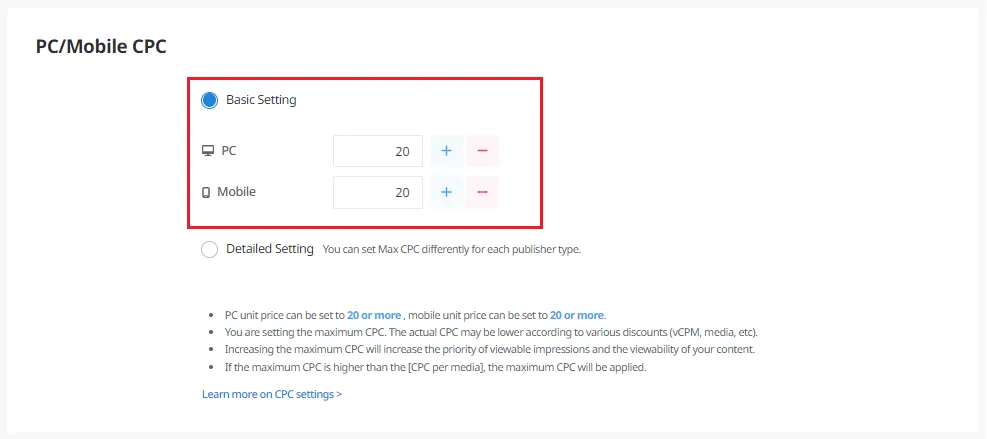
You can change the maximum CPC set in your campaign. You can also choose to set different CPC for PC and mobile.
•
Campaign Management – Select the campaign you want to change – Go to ‘PC/Mobile CPC’ – Click ‘Basic Setting’ – Enter the amount and click ‘Save’
Set maximum CPC by media type
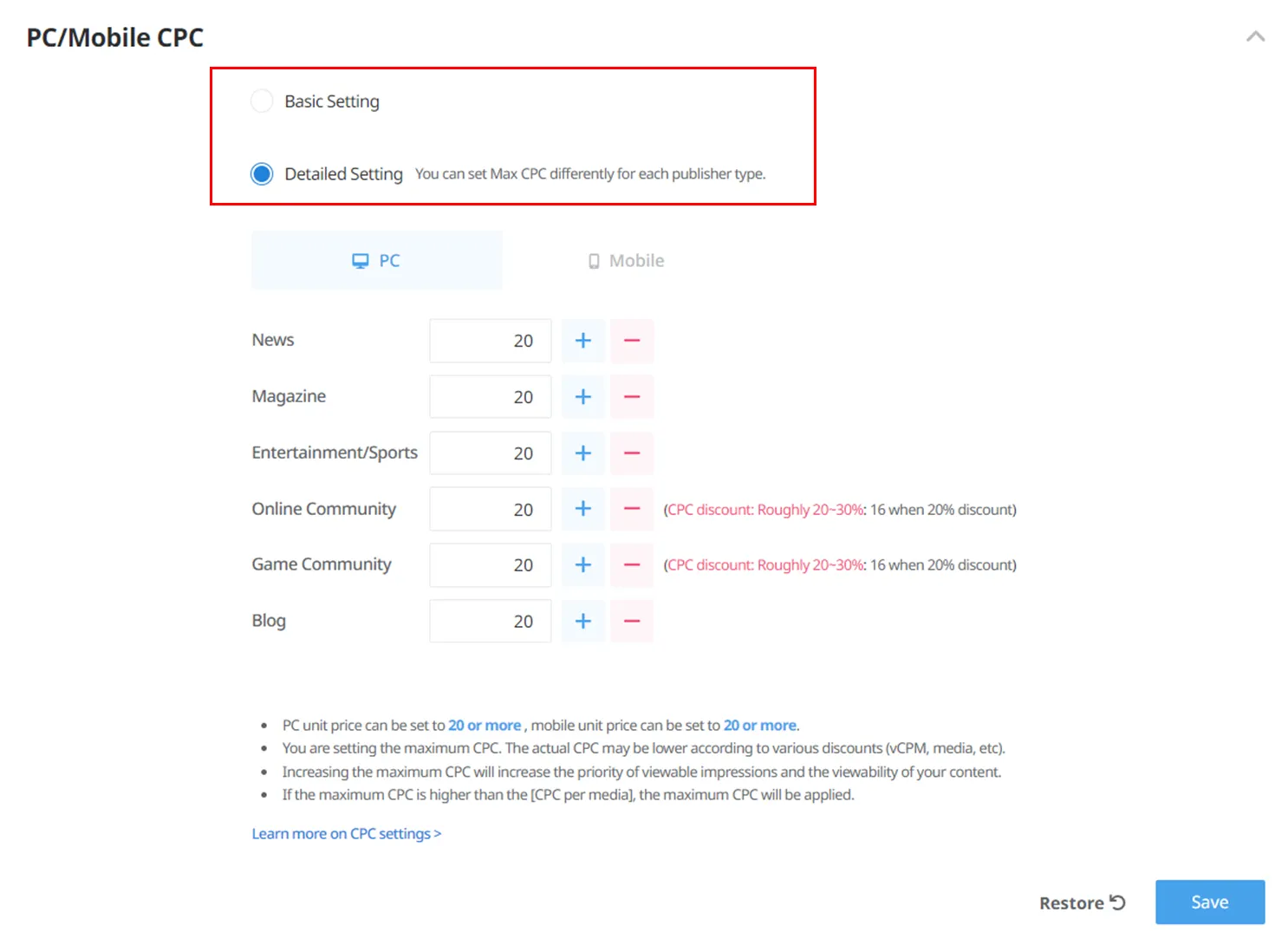
You can adjust a campaign’s maximum CPC by media type and device. Discounts may apply to CPC depending on the media type.
•
Campaign Management – Select the campaign you want to change – Go to ‘PC/Mobile CPC’ – Click ‘Detailed Setting’ – Enter the amount and click ‘Save’
Set maximum CPC by site
You can set separate maximum CPCs for each site in your campaign. If your campaign’s maximum CPC is higher than the site’s CPC, the campaign’s CPC will be applied.
On the Performance page
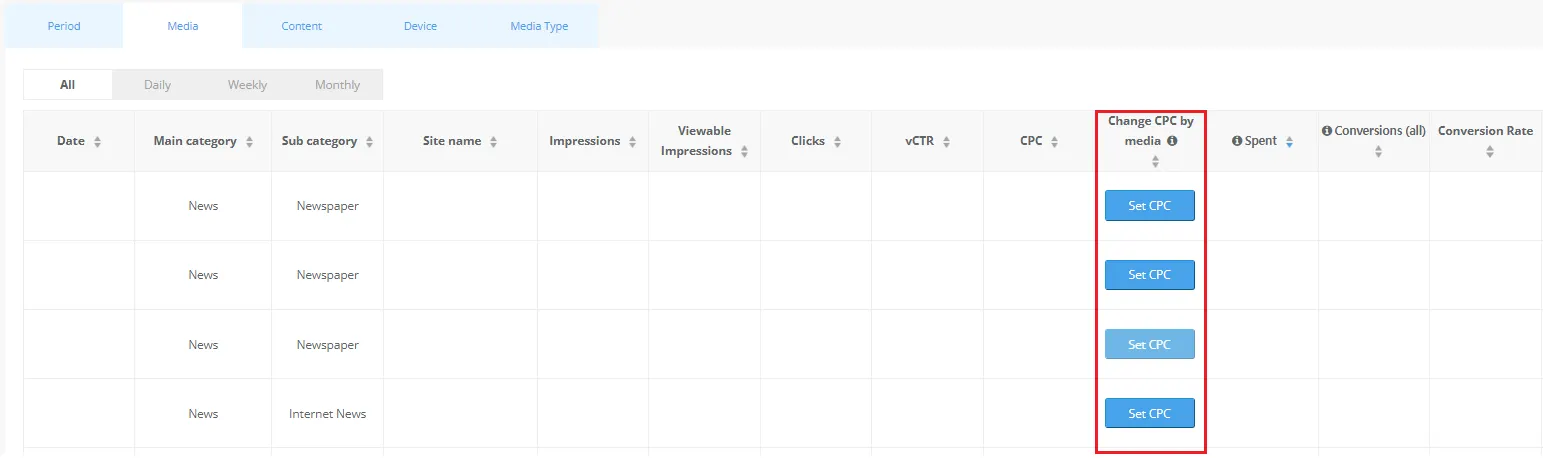
You can change CPC based on collected data so that your ads can be prioritized to be exposed to certain media.
•
Performance – Select a campaign – Click ‘Site’ – Find the site you want to change and click ‘Set CPC’ – Enter the amount and click ‘Apply’
•
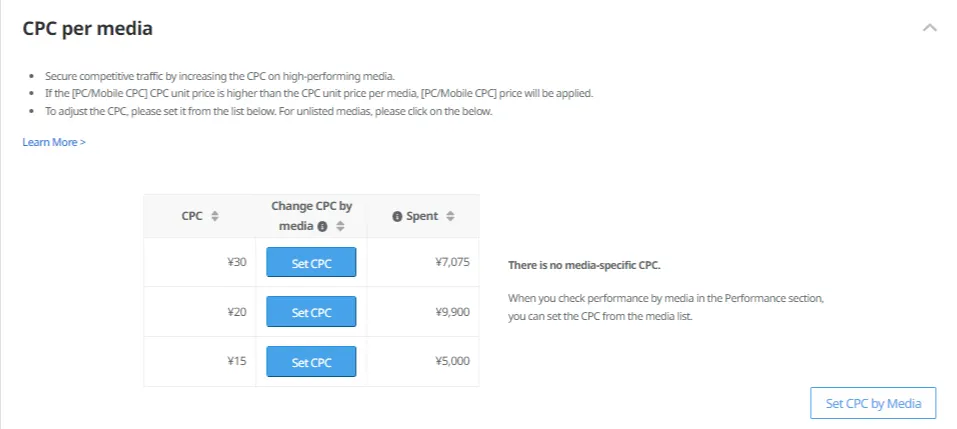
You can see a list of sites that have separate CPCs in the Performance page.
On the Campaign Management page
•
You can also see the page above by going to Campaign Management > Select a campaign – Click ‘CPC per media’  – Click ‘Set CPC’ > Enter the amount and click ‘Save’
– Click ‘Set CPC’ > Enter the amount and click ‘Save’