

Register image
Dable will expose 3 different proportions of thumbnails, 16 : 10(default), 1 : 1, 2 : 1, through automatic image ratio scaling. When reviewing a content, we also check the image size. To provide perfect user experience and increase advertiser’s performance, it is crucial to use the correct image size/ratio.
To add an image, advertisers can either choose to create one by themselves or use Dable’s Image Library.
•
See more Image Library
If you select an image from ‘Image Library’, the optimal thumbnail for each ratio will be automatically exposed. Therefore, ‘Edit’ feature is not provided.
•
If you choose to add an image manually, upload a 4:3 ratio image (800px X 600px) and 3 images with different ratios will be automatically created. Or, you can manually upload images for each ratio.
Here are the steps to add an image:
1. Select Image

Drag and drop or click the image you wish to upload.
•
Recommended size: 1600px X 1200px (Ratio: 4:3)
•
Recommended image size(Minimum image size) for Single Upload
◦
16:10 Ratio: 1200px X 750px (800px x 500px)
◦
1:1 Ratio: 1200px X 1200px (500px x 500px)
◦
2:1 Ratio: 1200px X 600px (800px x 400px)
•
File Size: 2MB or less , Formats: .jpg, .jpeg, .png
•
Image with texts is not recommended, as it can be cropped in some media.
2. Edit Image

Once you add an image with min. 800 * 600px (4:3) ratio, it can be cropped to 3 ratio types(16:10, 1:1, 2:1) Check how the image is shown for each ratio and adjust as needed. If you need to upload an image manually, click 1:1 Image Single Upload and upload images for each ratio. All images should be identical.
The ‘Preview’ shown on the right shows you the live image of the advertisement. Elements that are outside the yellow inner rectangle in ‘Edit Image’ may be cropped on screens. We recommend you to texts and logos within the yellow inner rectangle.
3.Select Exposure

Advertisers may select desired advertisement exposure per ratio of 16 : 10(default), 1 : 1, 2 : 1. However, when you deactivate a certain ratio, the ad exposure may be decrease. Therefore, Dable recommends enabling thumbnail exposure of all ratios of 16 : 10(default), 1 : 1, 2: 1.
Register video (MP4)
•
Please contact your account manager (ad@dable.io) for video ad content registration
Thumbnail Images (Banner)
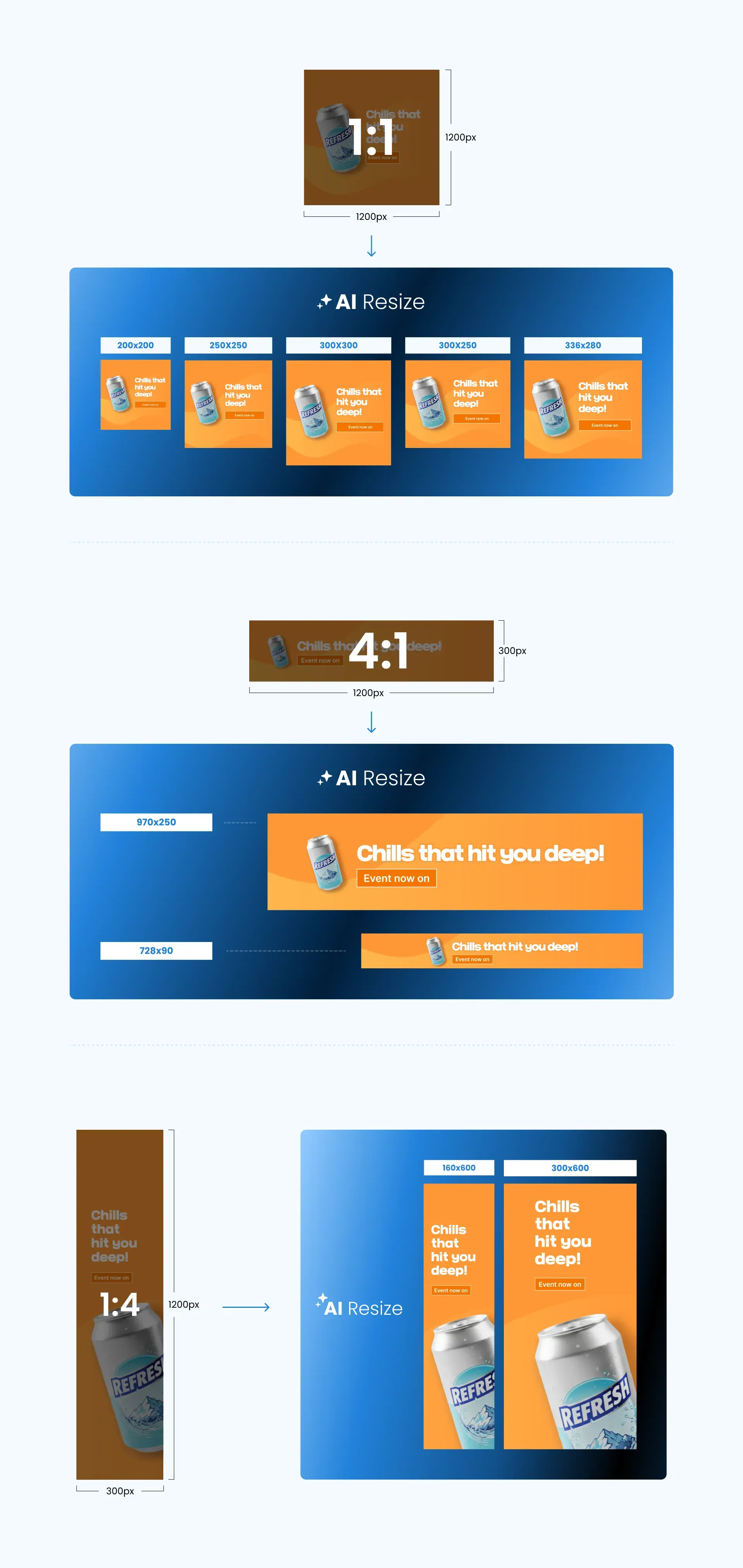
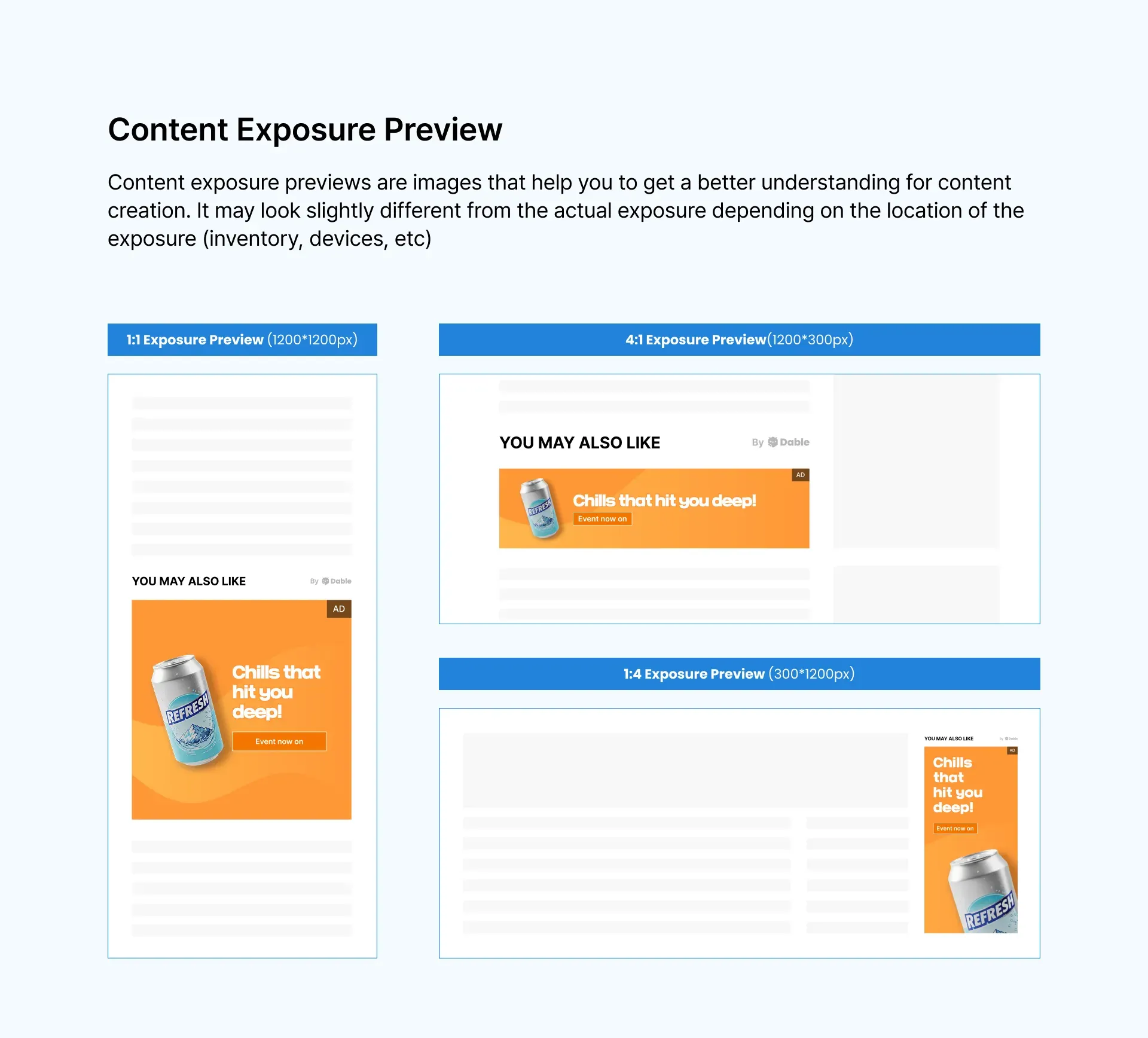
•
For banner ads, uploading a 1:1 ratio thumbnail alone allows your ads to appear on most placements.
•
However, to maximize ad performance, we recommend also uploading 4:1 (horizontal) and 1:4 (vertical) creatives.
Thumbnail Image Requirements
•
Accepted Image Sizes (Banner)
◦
1:1 Ratio
▪
Width: 500px to 2400px
▪
Height: 500px to 2400px
◦
4:1 Ratio
▪
Width: 970px to 2400px
▪
Height: 250px to 600px
◦
1:4 Ratio
▪
Width: 160px to 600px
▪
Height: 600px to 2400px
•
File size and format: jpg, jpeg, or png (up to 2MB)
•
To ensure ads are optimized across all placements within the Dable network, we recommend uploading images in the recommended sizes.
•
Uploaded images are automatically adjusted to various widget sizes using AI technology.
•
However, depending on the widget layout, parts of the image may appear cropped or slightly different, so please preview the final display.
•
During cropping, images may appear pixelated or cut off. If cropping is applied, you may need to request additional AI resizing to adjust other ratios.
•
When cropping, follow the safe zone guidelines to ensure that key text or main elements are not trimmed.
Common Rules
•
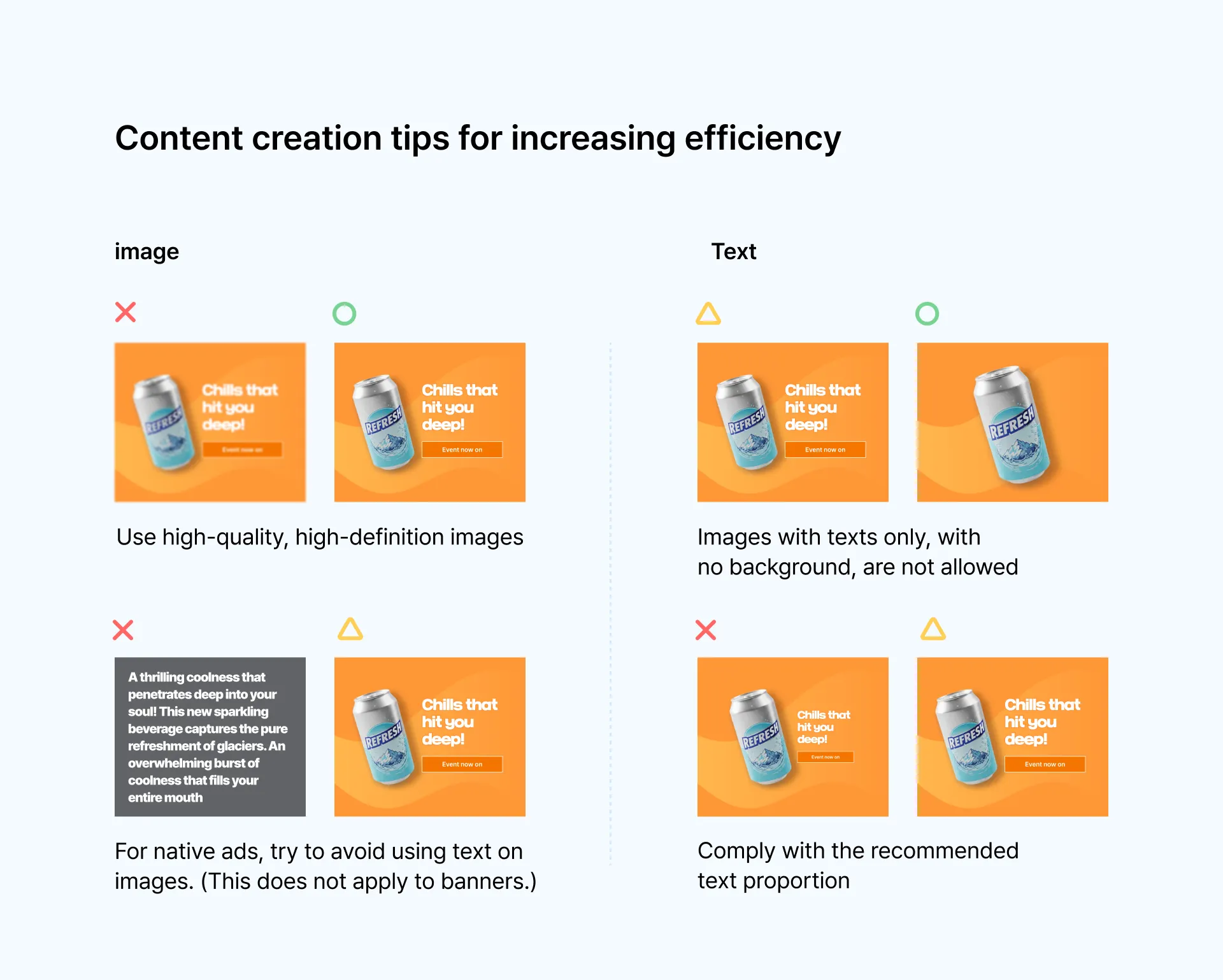
For native ads, adding text to thumbnail images is not recommended. (It’s acceptable for banner ads.)
•
Text-heavy images are not allowed. It’s recommended that text occupy no more than 30% of the image.
